Tags
UWB tags for people, vehicles and assets
Tags go on whatever you want to locate: a badge on a person, a tag on a tool or a forklift, a call button at a workstation. They send short ultra-wideband pulses that the base stations (UWB anchors) measure, and they sleep whenever they are not moving.
- Positioning accuracy, up to
- 10 cm
- Configurable update rate
- 0.1–50 Hz
- Typical battery life, depending on utilisation and update rate
- Several years
- ID Badge sealing; the Industrial Tag is IP65
- IP67
Four tags, one system
Badges, asset tags and call buttons all appear in the same platform and APIs, whether the system runs in the cloud or on-premise.
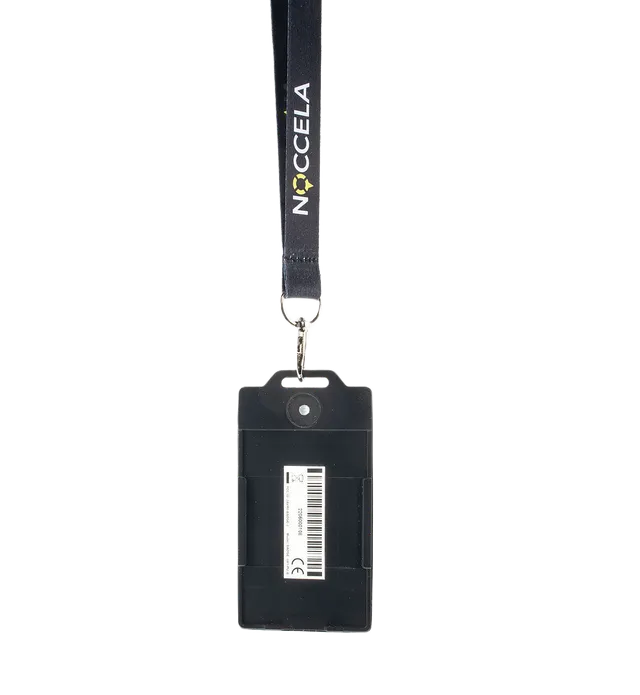
ID Badge
Wearable personnel badge with a call button, LED and buzzer.
Details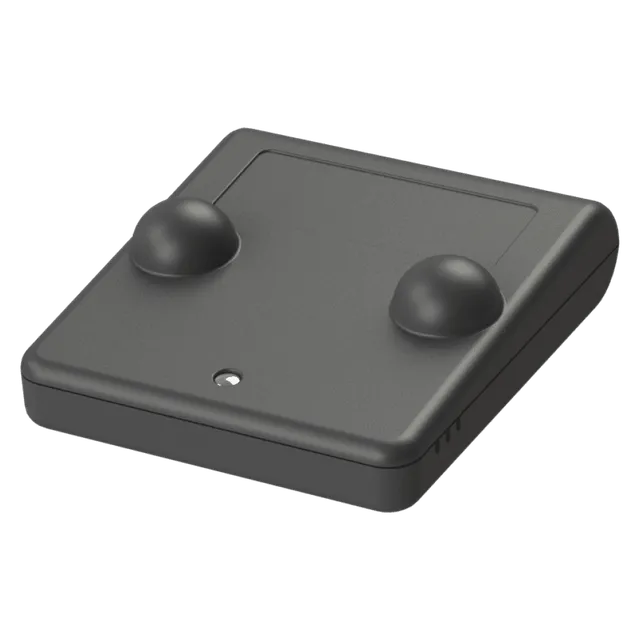
Smart Tag
Small asset tag for tools, carts, pallets and equipment.
Details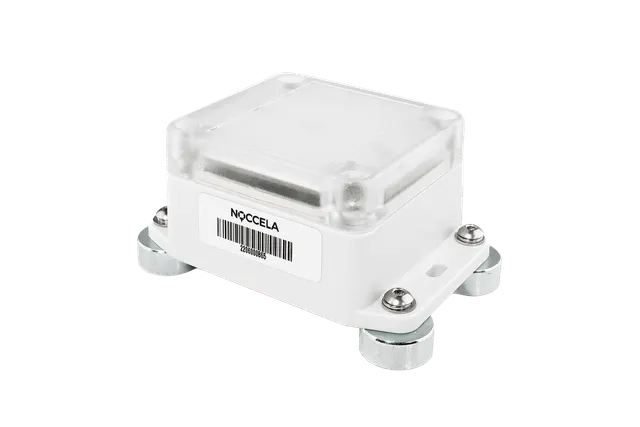
Industrial Tag
IP65 tag for vehicles, machines and harsh conditions.
Details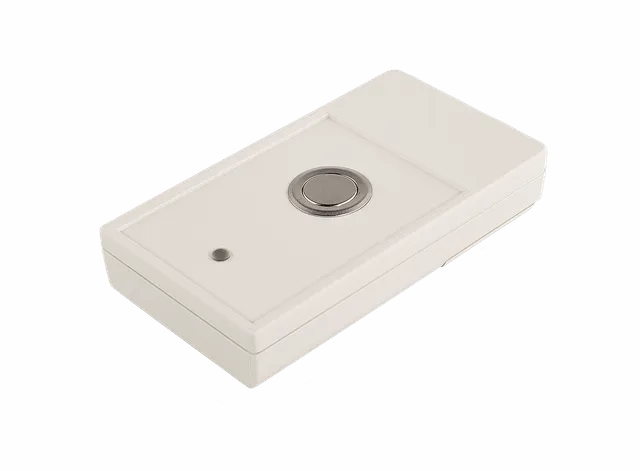
Andon Button
Wireless call button that sends its own location with every call.
DetailsWhich tag for which job
Start from what you need to know, then pick the device. Some jobs combine a tag with a base station or an accessory.
| The job | Use | Why it fits |
|---|---|---|
| Warn people near forklifts and danger zones, count heads at muster points, call for help | ID Badge | Worn on a lanyard or clip. Buzzer and LED for warnings, a button for assistance calls, IP67 and rechargeable. |
| Find tools, carts, containers, pallets and work in progress | Smart Tag | Small and light, two AAA batteries, attaches with a pin, wire, magnet or tape, and sleeps while the asset is parked. |
| Follow forklifts, vehicles, machines and outdoor storage | Industrial Tag | IP65 housing and CR123A lithium cells for harsh conditions. Mounts with magnets, screws or tape. |
| Andon calls, assistance requests and evacuation activation | Andon Button | Sends its own location with every call, so you can move it to another workstation without reconfiguring anything. |
| Track players or horses on a pitch or track | Smart Tag + Sports Beacon | A small tag with a fast update rate, and base stations mounted around the field instead of above it. |
| Warn at a temporary work zone or test bench | ID Badge + Mobile Anchor with Flash | The case creates a zone around itself and flashes and sounds when a badge enters. No site network needed. |
| Show a warning light at a crossing when a vehicle approaches | Industrial Tag + Signalling Flash | The tag on the vehicle enters a zone; a Workflow Manager rule switches on the light and tone. |
Battery life and update rate
Every position costs a little energy. How often a tag reports its position, the update rate, is the main setting that decides how long its battery lasts.
The update rate is configurable from 0.1 Hz, once every ten seconds, to 50 Hz, fifty times a second. Battery life is typically several years, depending on utilisation and update rate: a tag on a forklift that drives all day at a fast rate needs new batteries sooner than a tag on a pallet that moves twice a day.
Choose the slowest rate that still answers your question. Finding a cart needs far fewer updates than warning a pedestrian about a forklift or measuring a sprint. The rate is set per tag and can be changed over the air after installation.
The ID Badge is rechargeable: about 2.2 hours over USB-C or pogo pins, or 48 at a time in the Charging Dock. The other tags use standard replaceable batteries.
-
Slow
Assets that move now and then: pallets, carts, containers, tools.
-
Moderate
People and vehicles in safety and workflow use cases.
-
Fast
Athletes, horses and fast vehicles, where detail at speed matters.
Longer battery life
More detail on fast movement
Tags sleep when they are not moving
Noccela tags use an accelerometer, a small motion sensor. When the tag has been still for a while, it goes to sleep; on the ID Badge the default is 60 seconds without movement, and it can be changed. The moment the tag moves, it wakes up and reports its position again.
Sleeping saves battery, and a sleeping tag does not use system capacity. Capacity is quoted as 1,000 active tags at 1 Hz within radio range: parked pallets and tools on a shelf do not count towards it.
Moving
Reports at its configured update rate.
Still
Sleeps, saves battery and uses no capacity.
Compare tags
| ID Badge | Smart Tag | Industrial Tag | Andon Button | |
|---|---|---|---|---|
| Best for | Workplace safety · Mustering and evacuation · Lone workers · Healthcare staff | Tools and equipment · Carts and containers · Work in progress · Sports and animals | Forklifts and vehicles · Machines · Outdoor storage · Harsh environments | Digital andon in lean production · Assistance calls · Healthcare call points · Evacuation activation |
| Worn or attached | Lanyard or clip | Pin, wire (130–2,000 mm), magnet or double-sided tape | Magnet, screws or tape | Double-sided tape |
| Power | Rechargeable Li-Po; runtime depends on mode and update rate | 2 × AAA (LR03), replaceable | 1 or 2 × CR123A, replaceable | 2 × AAA (LR03), replaceable |
| Battery life or charging | USB (Type-C) or pogo pins; about 2.2 h | Typically several years, depending on utilisation and update rate | Typically several years, depending on utilisation and update rate | Typically several years, depending on utilisation and update rate |
| Update rate | Configurable, 0.1–50 Hz | Configurable, 0.1–50 Hz | Configurable, 0.1–50 Hz | Sends its location with each call |
| Button and indicators | One tactile button: call for assistance, power, reset; RGB LED, 84 dB piezo buzzer | – | – | Tactile button; LED with two-way indication |
| Protection or environment | IP67 | Indoor | IP65 | Indoor |
| Dimensions | 114.3 × 58 × 8 mm | 56.5 × 66.7 × 20.9 mm | 89.8 × 61.8 × 40 mm | 105 × 57 × 20 mm |
| Weight | 42 g | 34 g with batteries | 113 g without batteries | 65 g without batteries |
| Certifications | CE marked; FCC ID 2AVRO-BADGE-3; RoHS compliant | CE marked | Certification details on request | CE marked |
How to deploy tags
-
Pick the tag for the job
Use the table above: a badge for people, an asset tag for things, an industrial tag for vehicles, a button for calls.
-
Set the update rate
Fast for vehicles and athletes, slow for assets. You can change it later over the air.
-
Attach and assign
Clip badges to lanyards, fix asset tags with a pin, magnet, screws or tape, and link each tag to the role, vehicle or asset it follows.
-
Draw zones and rules
Draw zones on the map and set up alerts and workflows in the Location Intelligence Platform.
Tags on people
The ID Badge is often used for safety: warnings near forklifts and danger zones, lone-worker calls and mustering.
Frequently asked questions
How long does a tag battery last?
Can we replace the batteries ourselves?
How often does a tag report its position?
What happens when a tag is not moving?
How accurate is the position of a tag?
Can ID Badges work without base stations?
Find the right tag for your site
Tell us what you want to locate and how often you need its position. We will recommend the tags and update rates, and send you a quote.